Log Venmo, Cash App and PayPal Payments Automatically
Payment apps move money all day in small amounts. A friend sends $18 for pizza, you pay $60 toward a group gift, your roommate covers the internet bill and you pay them back on Cash App. Each one takes a few seconds, and almost none of them make it into a budget, because writing them down takes longer than sending them.
This guide is about closing that gap without extra work. It shows how to log Venmo, Cash App and PayPal payments automatically on iOS 27, so money you send and money you receive both become entries on their own, without a bank connection. It covers which notifications each app sends, how to quiet the promotional ones, how to handle a split dinner, the few cases where one payment produces two records, and how to turn the notifications into entries. If you want the manual side of P2P budgeting (notes, categories, and reimbursements), our guide to tracking Venmo and Zelle payments in your budget covers it.
Why P2P payments slip through most budgets
Peer-to-peer payments are hard to track for three reasons, and none of them are about discipline.
They are small and constant. Nobody forgets rent. People forget the $12 they sent for a shared Uber, and twenty of those a month is real money.
They move in both directions. A card mostly sends money out. Venmo, Cash App and PayPal also bring money in: paybacks, gifts, payment for something you sold. A budget that only sees spending gets half the picture.
Some of the money never touches your bank. If friends pay you on Venmo and you spend that balance on Venmo, your bank statement never sees either side. Bank-synced budgeting apps miss it entirely, which is why a "no bank link" approach can actually be more complete here. Our roundup of expense trackers with no bank login explains the tradeoff.
The one thing all three apps do reliably is tell you when money moves. That notification already has the amount, the direction, and usually the other person's name. It is the most accurate record of the payment you will ever get, and it shows up seconds after the payment happens.
What each app notifies you about
Automatic logging depends on the payment app actually sending a notification, so it is worth checking each app's settings once. Menu names change between app versions, so treat these paths as a starting point.
Venmo
Venmo notifies you when money moves into your account and when someone requests money from you. Notification settings live under the Me tab: tap the Settings gear, then Notifications. Venmo also offers two optional push categories that are not payments: Account and Product Updates (reminders such as a debit card on its way) and Discounts and Promotions (merchant offers). Turning those off keeps the notification stream focused on real payments.
If Venmo notifications are missing entirely, check the iPhone side too: Settings, Notifications, Venmo, and make sure Allow Notifications is on.
Cash App
Cash App's notification controls are under your profile icon on the home screen. Tap Notifications and choose how you want to be notified: push, text, or email. For automatic logging, push is the one that matters. Look for the options covering payments and Cash App Card activity, and leave those on.
PayPal
In the PayPal app, tap your profile picture and open Notification preferences to choose which notifications you get in the app. PayPal also sends many emails you cannot turn off (security changes, policy updates), but those are email, not push, so they do not add noise to your notifications.
What about money you send?
Received payments are the easy half: payment apps notify you when someone pays you. Whether you get a notification for a payment you send yourself varies by app and settings, so check after your first payment. If the payment app stays quiet, the payment is often still visible elsewhere. A Venmo payment funded by a debit or credit card can also produce an alert from that bank or card, and that alert can be logged the same way. Our guide to turning bank transaction alerts into an expense tracker shows how to switch those alerts on. For anything that slips through, the payment confirmation on your screen has the amount and the other person's name, which is all you need to log it.
Quiet the promo notifications first
Payment apps also send offers, cashback promos, crypto price moves, "your friend joined Venmo" messages, and reminders about features you never asked for. None of those are payments. If you log from notifications, by hand or automatically, every one of them is noise between you and the payments that matter.
A five-minute cleanup helps:
- Turn off promotions and offers in each payment app's notification settings, such as Venmo's Discounts and Promotions.
- Turn off product and feature updates where the app lets you.
- Keep payment and security notifications on. Payment notifications are the record you want, and security alerts protect your account.
- Leave social notifications off if the app has them (likes, comments, friend activity).
- Focus on the apps you actually pay with. If you use PayPal twice a year, it is fine to log those payments by hand instead.
This also makes your phone quieter in general, which most people appreciate regardless of budgeting.
Splitting a dinner: what gets logged
Group dinners are where P2P tracking usually falls apart, so here is exactly what should happen.
Say you pay a $120 dinner bill with your card, and three friends each send you $30 on Venmo.
- Your card payment is an expense of $120. If your card's bank sends a payment alert, that alert is your record of it. Otherwise, log it the way you normally would.
- Each friend's Venmo payment arrives as a "paid you" notification and should become a $30 income entry. Three friends, three entries, each with their name.
At the end of the month, your totals are honest: $120 out, $90 back in, so the dinner cost you $30. Some people prefer their Dining category to show only their share. If that is you, edit the dinner entry down to $30 and delete the three paybacks once everyone has paid. Both approaches give the same net number. The first keeps a full record of who paid you back, the second keeps categories tidy. Our guide to tracking shared expenses with roommates goes deeper on running balances for groups that split often.
When one payment shows up twice
Notifications describe each side of a money movement, and a few situations produce two notifications for what is really one payment. Knowing the pattern makes the occasional double easy to spot.
Transfers to your own bank. When you cash out your Venmo or Cash App balance to your checking account, the payment app may tell you the money left, and your bank may tell you it arrived. If you record both, that is two entries for what is really a move between your own accounts. It is neither spending nor income, so keep one record at most, depending on how you track transfers.
Card-funded P2P payments. If you pay a friend on Venmo with a debit card, both Venmo and your bank may send an alert, and the same $40 can appear twice. Pick one source per payment path: the payment app or the bank, not both.
Turn those notifications into entries automatically
With the right notifications switched on and the promos switched off, the last step is getting each payment into your budget without typing it. On iOS 27, Finny does this with Notification Log: you pick the payment apps, and a payment notification from one of them becomes an entry on its own, with no bank connection and no login to Venmo, Cash App or PayPal.
- The direction is respected. "You paid" becomes an expense. "Paid you" or "you've received" becomes income.
- The amount and currency come from the notification, exactly as the app reported them.
- A category and payment method are filled in. Both are guessed from the notification, and you can set a category and card for each app, which is the most reliable way to get the right payment method every time.
- You get a short confirmation showing what was logged, so you can see at a glance that the payment landed.
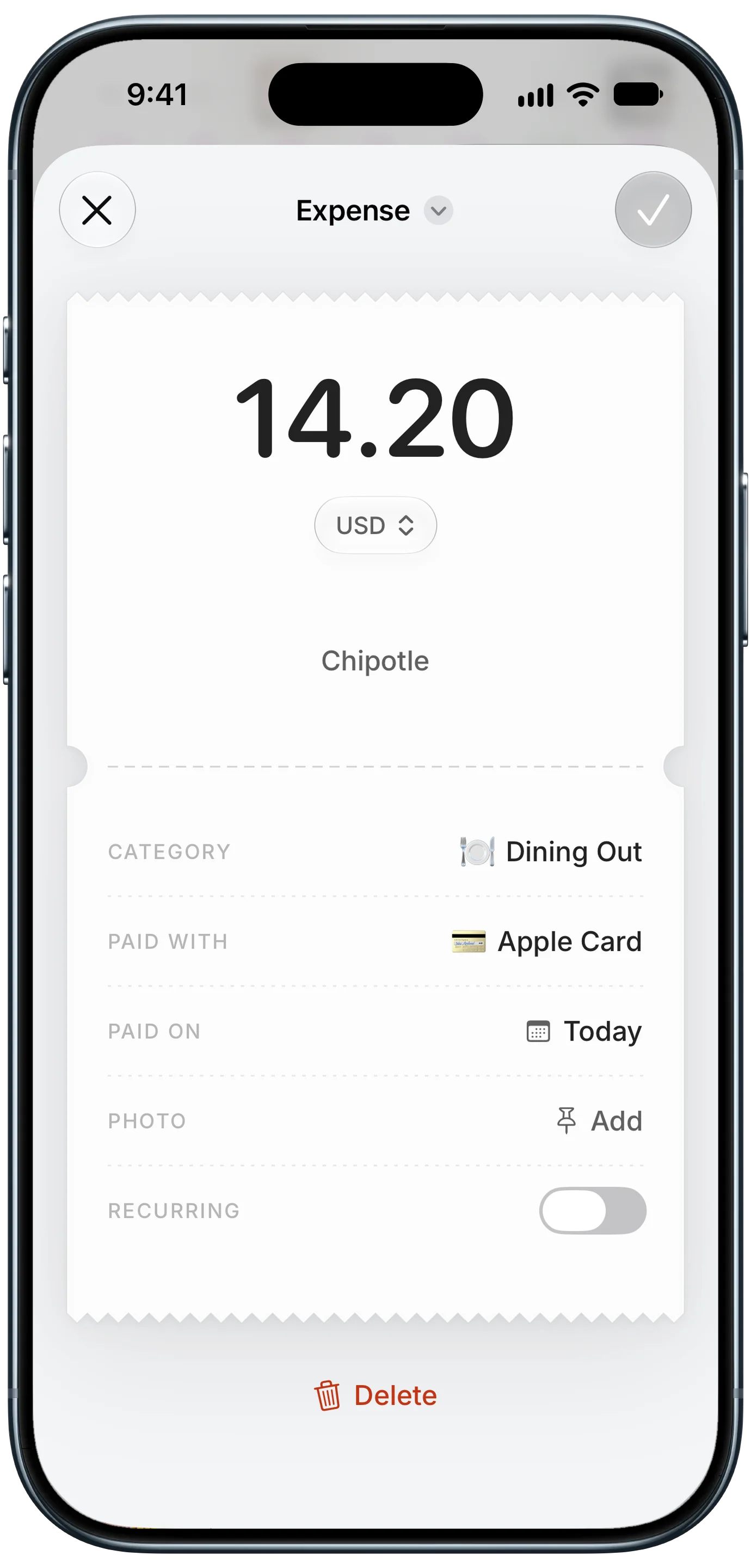
Finny app's expense entry feature
Every logged payment is a normal entry. You can open it, change the category, add a note or a photo, or delete it, the same as anything you entered by hand. Only notifications from the apps you pick are read, and the notification itself is not kept. It needs iOS 27 and Finny Pro; see how Notification Log works and its limits.
Here is a short demo of a payment notification turning into an entry:
Is automatic P2P logging right for you?
It depends on how much of your money moves through payment apps.
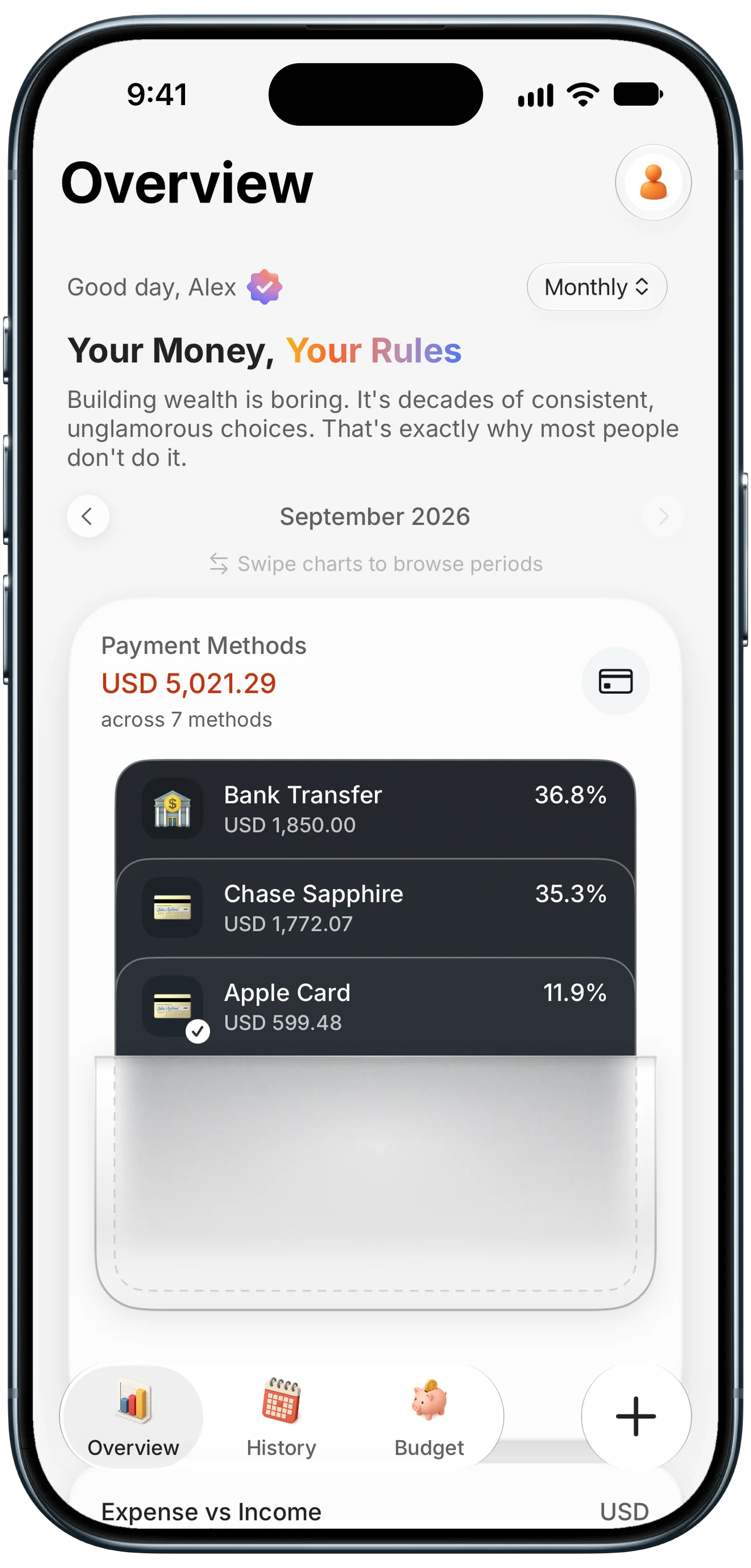
Finny app's Payment Methods feature
It fits well if you split bills with roommates or friends every week, get paid for side work on Venmo or Cash App, or keep a balance in a payment app and spend from it. These are exactly the payments bank-synced apps miss and manual logging forgets.
A tip if you keep money in a payment app: add Venmo or Cash App as its own payment method in your budget app, and file that app's payments under it. Spending from your balance then shows up next to your real cards, so you can see how much of the month ran through each one.
It matters less if you use P2P apps a few times a month. Logging those by hand, or with AI text input, takes seconds.
If you also take payments from customers, our guide to accepting payments with a QR code on Venmo, Cash App and PayPal covers the seller side. Treat every customer payment that arrives as a notification as income, and keep it in its own category so it does not mix with paybacks from friends.
Common Questions About Logging P2P Payments Automatically
Can Venmo payments be tracked automatically without linking my bank?
Yes, if your tracker can read payment notifications. On iOS 27, Finny's Notification Log turns Venmo's payment notifications into entries on their own, as expenses or income depending on what the notification says. Nothing connects to Venmo or your bank, and only the apps you pick are read. This also catches money spent from your Venmo balance, which never appears on a bank statement and which bank-synced apps miss.
Does money I receive on Cash App get logged as income?
Yes. A notification that says someone paid you becomes an income entry with the amount and currency from the alert. If the money is a payback for something you fronted, you can keep it as income (your net totals stay correct) or delete it and reduce the original expense to your share. Either way, the record starts from the notification instead of from memory.
Why did a Venmo transfer to my bank show up twice?
Because two apps reported it. When you move money from Venmo to your checking account, Venmo and your bank can each send a notification, one for each side of the transfer. If you record both, you get two entries for one move between your own accounts. Delete the duplicate, or rely on only one of the two apps if you cash out often.
Does this work with PayPal and other payment apps?
Yes, as long as the app sends payment notifications to your iPhone. In the PayPal app, open Notification preferences from your profile picture and keep payment notifications on. Notification-based logging works best with apps that mostly send payment alerts, so turn off promotions and product updates in each app first. Apps that mostly send marketing or social notifications are a poor fit.
Ready to stop chasing P2P payments?
Download Finny to log expenses and income automatically, by voice, by text, or from receipts. No bank connections, totals in your home currency across 150+ currencies, and full control over your data.