How to Never Miss a Bill Payment Again (A 30-Minute Setup)
Almost nobody misses a bill because they forgot it existed. You knew about the electricity bill. You have known about it for years.
What actually happens is more specific: the payment lands two days before payday, or an autopay you set up in 2023 pulled an amount you were not expecting, or the money was technically there but already spoken for. Then a late fee appears, and if it goes past thirty days, so does a mark on your credit file.
So the fix is not a better memory or a louder reminder. It is a setup that removes timing as a variable. Here is the version that takes about thirty minutes once and then mostly runs itself.
Step 1: Write Down Every Bill (10 minutes)
You cannot systematize what you have not listed. Open a note and, for each recurring obligation, write four things:
- What it is
- How much (or "varies")
- What day of the month it is due
- Which account it comes from
Pull these from the last two or three months of bank and card statements rather than from memory. Memory misses the annual ones, and annual bills are the ones that hurt: insurance renewals, domain names, the yearly subscription you forgot renews in March.
Two things usually surface here. First, the total is higher than you thought. Second, the dates are clustered, often heavily in the first week of the month.
Step 2: Split the List in Two
This is the step most guides skip, and it is the one that matters.
Fixed bills are the same amount every time: rent or mortgage, insurance premiums, loan payments, most subscriptions. There is nothing to review, because the number never changes.
Variable bills change month to month: utilities, phone bills with usage charges, credit cards, anything metered.
They need opposite treatment. Automating a fixed bill is pure gain. Automating a variable bill means an unusual amount can leave your account with nobody looking at it, which is how a $340 electricity bill becomes a discovery rather than a decision.
Step 3: Autopay Everything Fixed
For each fixed bill, set autopay directly with the biller or through your bank's bill pay. Not through a third-party app.
That last point is worth a sentence. The standalone bill-pay app category has been closing down: Prism shut off in February 2024, and MyCheckFree and SilverBills went the same way. Anything that sits between you and the biller is a company that can fail, and when it does, your payments fail with it. Autopay set with the biller keeps working regardless of what happens to any app.
While you are there, set the payment date. Most billers let you choose. Move everything to two or three days after your income lands rather than leaving it scattered across the month. Clustering payments just after payday removes the entire class of "the money arrived on the wrong day" failures.
Step 4: Calendar the Variable Ones
For each variable bill, create a recurring calendar entry or reminder, dated two days before the due date, with the amount in the title if you know the usual range.
Two days is deliberate. Same-day reminders arrive when the money has already moved or when you are somewhere you cannot act. Two days gives you time to move money or query a charge.
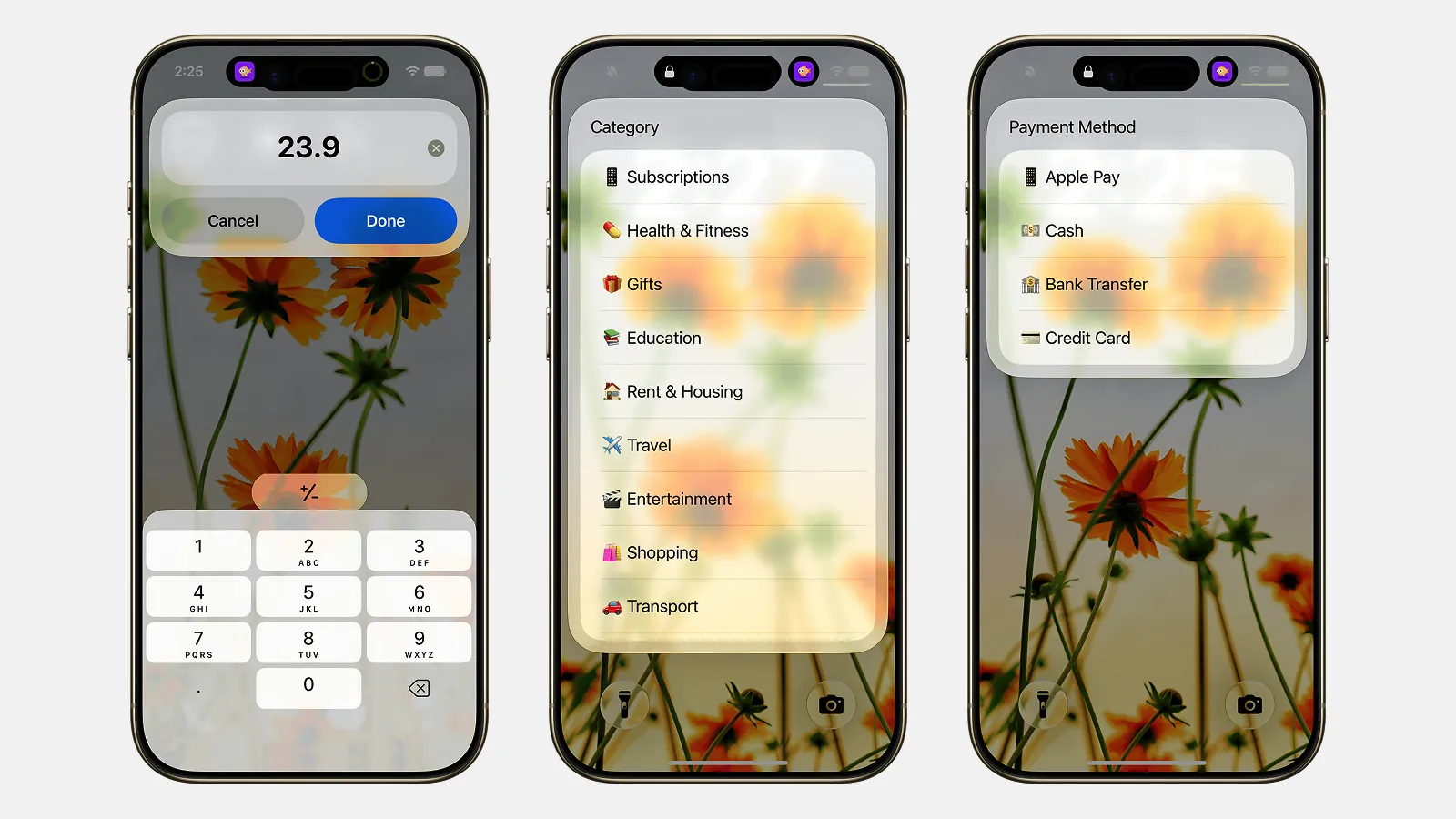
Finny app's Quick Log feature
You can do this in Apple Reminders, Calendar, or an app with recurring rules built in. The built-in tools are genuinely enough for most people and cannot be discontinued, which counts for something given the history above.
The case for doing it inside your expense tracker instead is that the reminder and the record end up in the same place. When a bill lands somewhere with no reminder attached, such as a confirmation email or a bank app, it can be captured straight off the screen:
[Finny](https://getfinny.app) works this way: set a recurring rule for each bill, and it logs every occurrence, reminds you before it is due, and shows what is coming up on the dashboard, with a per-bill view of what you have paid over its lifetime and when the price last changed. Managing the rules is free, and none of it needs a bank connection. Our roundup of [best bill tracker apps](/blog/best-bill-tracker-apps-2026) compares this against the bank-connected options.If you want the information visible without opening anything, a home screen widget works well. Our guide to iPhone lock screen budget widgets covers the setup.
Step 5: Build a One-Cycle Buffer
Here is the uncomfortable truth about late payments: a reminder cannot help if the money is not there.
The target is simple. Keep enough in your bill account to cover one full cycle of bills, and leave it there permanently. When a payment lands early, or an amount is higher than usual, or payday shifts because of a weekend, the buffer absorbs it and nothing bounces.
Building it takes time if money is tight. Do it in pieces: a small transfer every payday until the buffer equals one month of fixed bills. Treat it as a balance you never spend down rather than savings you dip into, which is the same logic as a sinking fund applied to bills.
This single step prevents more late fees than every app in this article combined. It is also why your bank balance can lie to you: the number on screen includes money that is already committed to bills you have not paid yet.
If Your Income Is Irregular
The system above assumes a predictable payday. If you are freelance, on commission, or on shift work, invert it: instead of aligning bills to payday, keep a larger buffer and pay bills from that buffer, topping it up whenever money arrives.
The buffer becomes the shock absorber that a regular salary would otherwise provide. Our guide to budgeting with a variable income covers the wider approach, and what cash flow is explains the timing problem underneath all of this.
What to Do If You Already Missed One
Act quickly, because the clock matters more than the amount.
Pay it now. Partial is better than nothing. Late fees usually compound per cycle, not per day.
Call and ask for the fee to be waived. If your history is otherwise clean, a first-time waiver is common and takes one phone call. Ask directly: "This is my first late payment, would you be able to waive the fee?" People skip this step and it works surprisingly often.
Watch the 30-day line. Payments are typically reported to credit bureaus once they are 30 days past due, not the day after. A payment that is five days late costs you a fee. A payment that is 31 days late can affect your credit for years. If you can only fix one bill this week, fix the oldest one. Our explainer on what a credit score is covers how the reporting works.
Then fix the cause. A missed payment is data. Was it timing, amount, or an empty account? Each has a different fix, and treating all three as forgetfulness is why it keeps happening.
The Quarterly Ten-Minute Review
Set a recurring reminder every three months to check three things:
- Did any amount change? Subscriptions and insurance premiums quietly rise at renewal.
- Is anything on the list you no longer use? Our 20-minute subscription audit is a good companion here.
- Is the buffer still intact? If it has been eaten, rebuild it before it costs you a fee.
Ten minutes, four times a year. That is the entire maintenance cost of this system.
The Half That Bills Do Not Cover
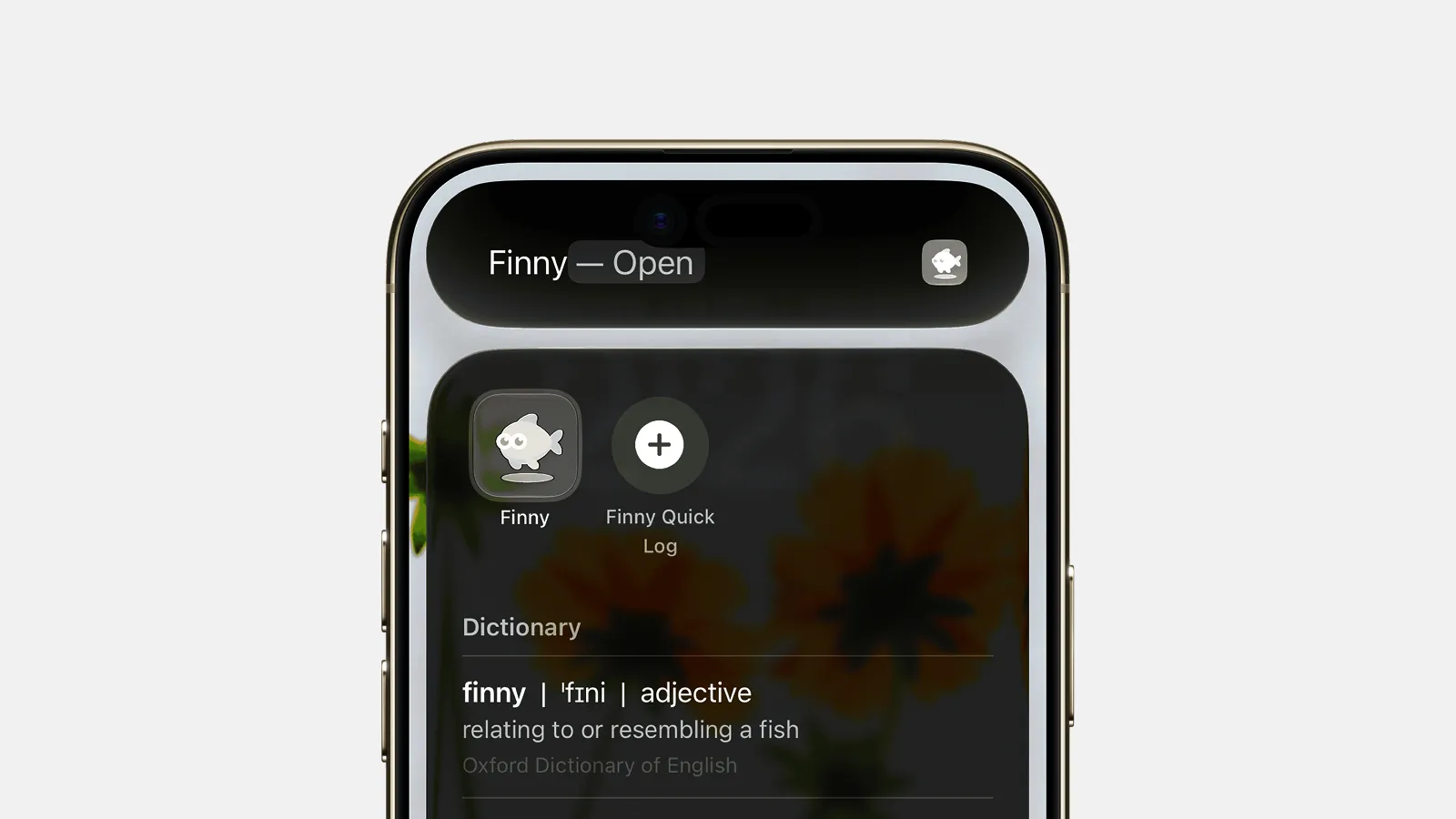
Finny app's Quick Log feature
Once this is set up, something becomes obvious: bills were never the unpredictable part of your money. They are the same numbers, on the same dates, every month. Once they are automated and buffered, they stop being a source of stress entirely.
The variable half is everything else, and it is the half that decides whether the buffer survives. That is the case for keeping both in one app: Finny holds the recurring rules and their reminders, and takes an expense in a few seconds as it happens, in any currency, with no bank connection anywhere in it. You see the fixed obligations coming and where the rest of the month actually went, rather than reconstructing either one later.
Common Questions
What is the best way to never miss a bill payment?
Autopay every fixed bill directly with the biller, set two-day-ahead reminders for variable bills, and keep one full cycle of bills as a permanent buffer in the account they are paid from. The buffer is the part people skip and the part that prevents the most failures.
Should I put every bill on autopay?
No. Autopay fixed amounts such as rent, insurance and loan payments, where there is nothing to review. Keep manual control of variable bills such as utilities and credit cards, so an unexpected amount does not leave your account before anyone looks at it.
How late does a payment have to be before it hurts my credit?
Fees usually start the day after the due date, but most lenders report to credit bureaus at 30 days past due. That gap is why paying a very late bill matters far more than paying a slightly late one.
Can I get a late fee waived?
Often, yes. If your payment history is otherwise good, a single phone call asking for a first-time waiver has a high success rate. It costs nothing to ask.
Do I need a bill tracker app?
Not necessarily. Apple Reminders or Calendar handles bill tracking for most households, free, and cannot be discontinued. Apps that detect bills automatically are useful if you have many accounts, but they require linking your bank. A middle option is an expense tracker with recurring rules and reminders built in, such as Finny, which keeps the bill and the spending record together without a bank connection. See our bill tracker app roundup for the comparison.
Bills automated, spending still a mystery? Finny logs the rest of your money in seconds a day, with no bank connection. Free to start, Pro at a low monthly price.