How to Track Online Shopping Spending (No Bank Link)
Online shopping is built to feel like nothing happened. Your card is saved, your address is filled in, checkout takes one tap, and the package arrives days later, long after the moment you spent the money. Add split shipments, pay-in-four plans, and returns that take two weeks to refund, and it's no surprise that online spending is the category people most often underestimate.
This guide shows how to track online shopping spending accurately: why online orders slip past a normal budget, how to handle split charges, buy now pay later plans, and refunds, and how to log every order as you place it, without connecting your bank. If you're preparing for a big sales weekend, pair this with our Black Friday budget guide.
Why online shopping is so hard to track
Checkout is frictionless. Saved cards, Apple Pay, Shop Pay, and PayPal remove every pause where you might reconsider. Less friction means more purchases, and less memory of each one.
One order becomes several charges. Large retailers often charge each shipment separately, so a single $140 order can appear as three charges on different days, sometimes with different merchant names.
Payment platforms hide the merchant. Pay with PayPal and your statement may show "PAYPAL *" instead of the store. A budgeting app can't categorize what it can't identify.
Buy now, pay later splits the cost. A $200 pair of boots on a pay-in-four plan becomes four $50 charges over six weeks. Your budget sees $50 a month and misses that you committed to $200.
Refunds lag. You return something, but the refund posts two weeks later, often in the next budget month. In the meantime, your spending looks higher than it really is.
Method 1: Log each order at checkout
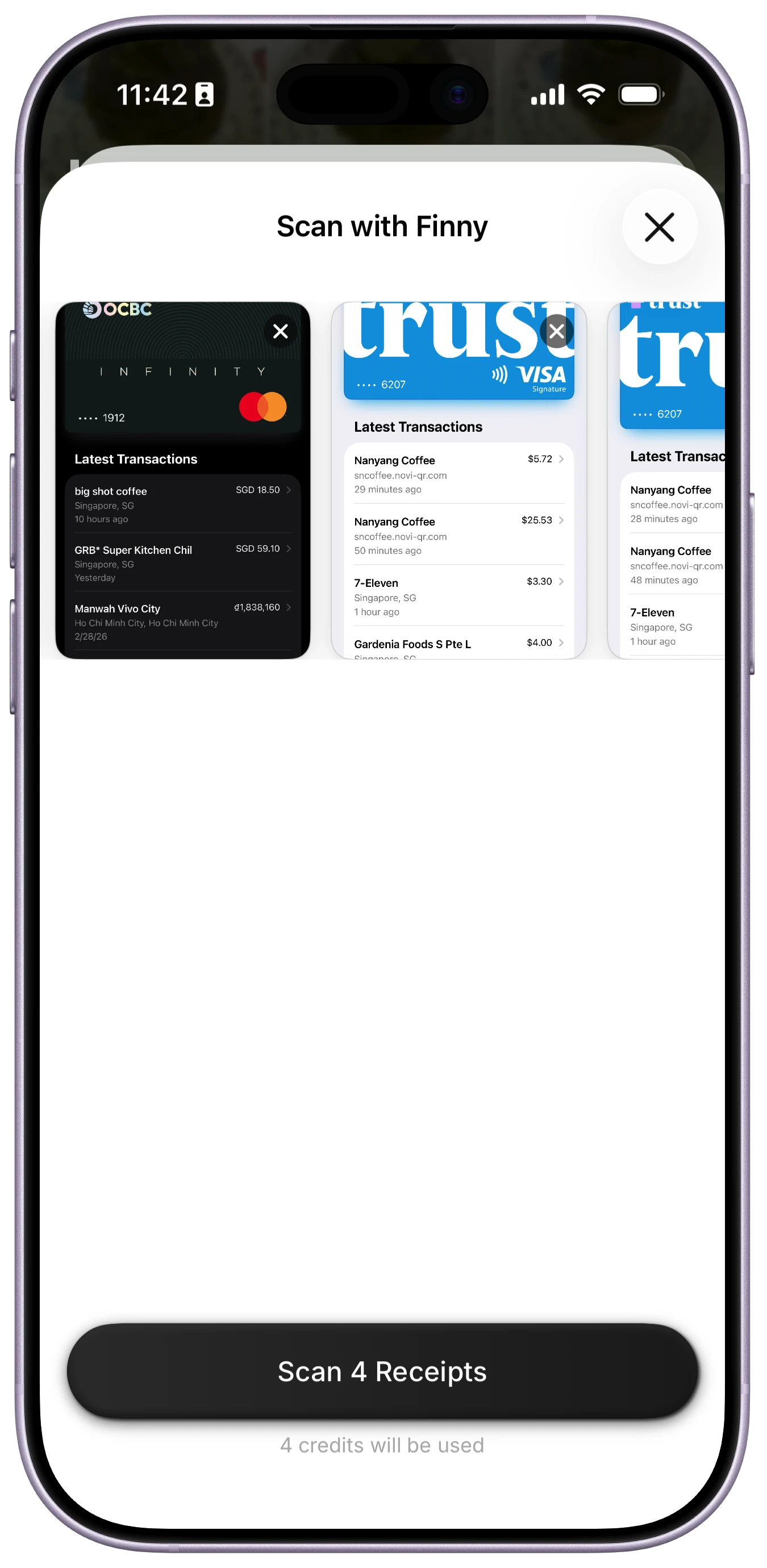
The most accurate record of an online purchase is the order confirmation, and the best moment to record it is right after you place it. You know the full total, what you bought, and which card or plan you used.
Finny handles this without a bank connection. Screen Log records a payment straight from what's on your screen, so an order confirmation page becomes a logged expense with the amount and store filled in. You pick the category. If you shop in bursts, you can screenshot several confirmations and scan them together later. And if you buy from overseas stores, the charge is logged in the currency you paid and folded into your home-currency total at live rates.
Here's Screen Log capturing a payment from the screen:
Logging at checkout also solves the split-shipment problem. You record the order total once, and you don't need to match three separate charges later.
Method 2: Use your email as a receipt archive
Every online order sends a confirmation email. Put them to work:
- Create a folder or label called "Orders."
- Set up a filter to route order confirmations there. Search for phrases like "order confirmation," "your order," and "receipt."
- Once a week, open the folder and add any orders you haven't logged.
- Keep refund emails in the same folder, so you can match each return to its original order.
This works with any budgeting method, including a spreadsheet. The downside is that it depends on a weekly review, so it tells you what you spent rather than stopping you before you spend.
Method 3: Check your order history before the statement closes
Most big retailers keep a full order history in your account. Once a month, before your card statement closes, scan the order history of the two or three stores you use most and compare it to your log. It's the fastest way to catch forgotten orders, subscriptions you signed up for at checkout, and shipments charged separately.
How to handle BNPL, refunds, and store credit
Buy now, pay later. Log the full purchase price in the month you buy, in the right category, since that's when you made the decision. Then track the remaining installments as upcoming payments so they don't surprise you. iOS 27 added more pay-later options at Apple Pay checkout. Our guide to Apple Pay pay later in iOS 27 covers what changed.
Returns. When you start a return, make a note on the original entry. When the refund posts, reduce the original purchase or log the refund as a negative expense in the same category. Don't count refunds as income.
Store credit and gift cards. Spending a gift card isn't new spending if you already counted it when you bought or received it. Log the purchase with a note so your categories stay accurate, but don't double-count it.
Set an online shopping limit that actually works
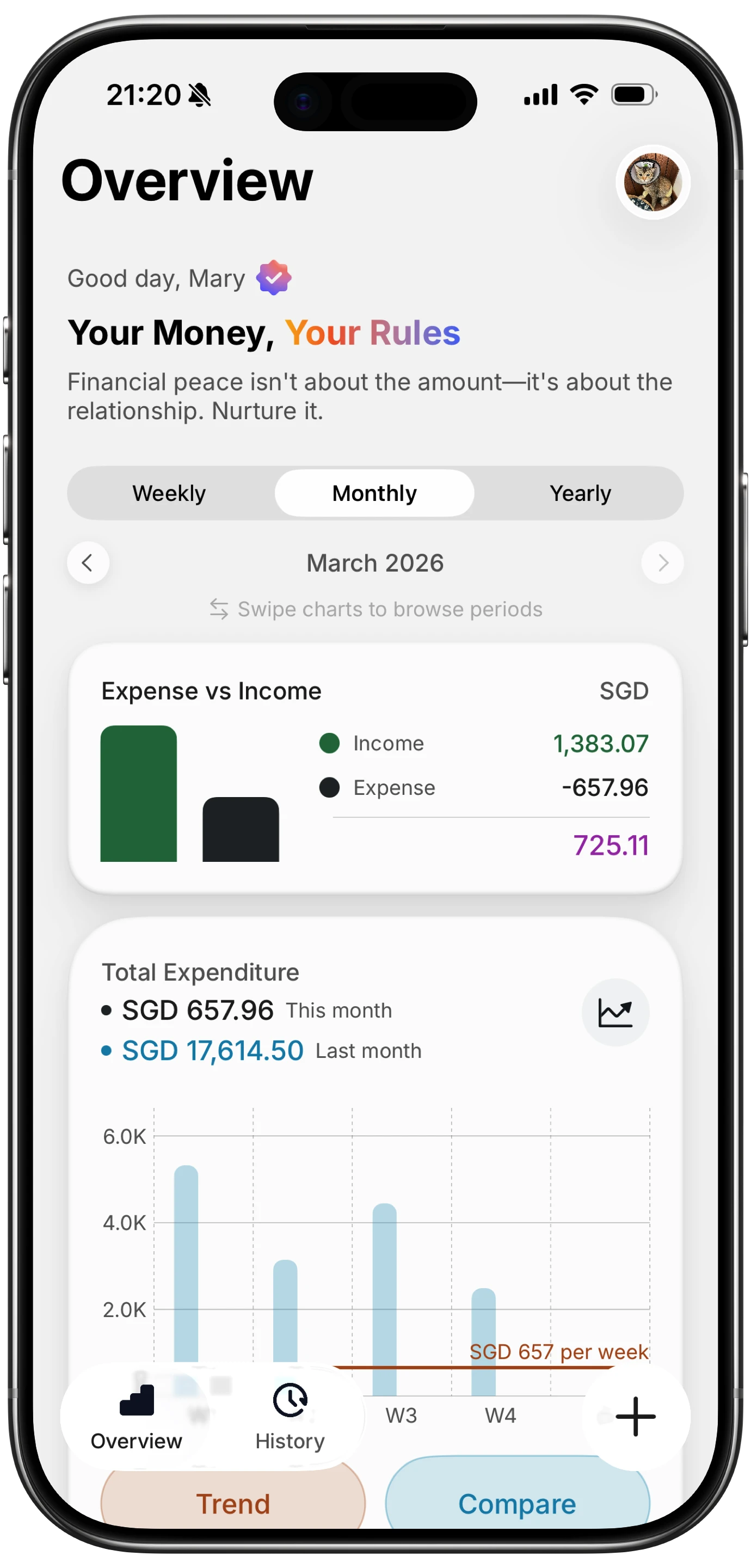
Once you're tracking accurately, give online shopping its own category and a monthly cap. A few rules help:
- Base the limit on real data. Track two months first, then set the cap 10 to 20 percent below what you actually spent.
- Use a waiting period for non-essentials. Leave items in the cart for 24 hours, or 30 days for bigger purchases. Our explainer on the 30-day rule shows how it works.
- Remove saved cards from stores you shop at impulsively. Typing a card number back in is a small pause, and small pauses work.
- Unsubscribe from sale emails. Most online impulse buys start in the inbox. Our guide to impulse spending explains the triggers.
- Check the category before you check out. If you already log orders as you place them, you know what's left this month before you tap Buy.
Frequently Asked Questions
How do I keep track of my online purchases?
Log each order at checkout from the order confirmation, since that's when you know the full total and what you bought. Back that up with an email folder that collects every order confirmation and refund, and check it weekly. Once a month, compare your log against the order history of the stores you use most to catch anything you missed.
How do I track Amazon spending in my budget?
Log each order total when you place it, rather than waiting for the charges, since Amazon often charges each shipment separately. Once a month, review your order history in your Amazon account and compare it to your log. Give Amazon purchases real categories, like household or gifts, rather than one catch-all "Amazon" category, so your budget shows what you actually bought.
How should I budget for buy now, pay later purchases?
Record the full purchase price in the month you buy it, in the category it belongs to, and track the remaining installments as upcoming bills. That way your budget reflects the decision you made, not just this month's installment. Avoid stacking several BNPL plans at once, since the payments can overlap and strain later months.
Can I track online shopping without linking my bank account?
Yes. Log each order from its confirmation page or email as you place it, using a tracker or a simple spreadsheet. This is often more accurate than bank sync, because you record the full order total with the real store name rather than a series of split shipment charges or a vague "PAYPAL" line.
The bottom line
To track online shopping spending accurately, record the order, not the charge. Log each purchase at checkout, keep a folder of order and refund emails, and check your top stores' order history once a month. Handle buy now, pay later and refunds on purpose, give online shopping its own limit, and the category that used to surprise you every month becomes one you can actually plan around.