How to Track Credit Card Spending in Real Time (2026)
Credit cards make spending painless, and that's the problem. You tap, the purchase is approved, and the number doesn't show up anywhere that matters until the statement arrives weeks later. By then the month is over and the only thing left to do is pay.
Learning to track credit card spending in real time closes that gap. When you see each charge as it happens, you can adjust while there's still time: skip the second takeout order, hold off on the impulse buy, notice the duplicate charge the same day. This guide covers the tools you already have, why most budgeting apps lag behind your card, and how to see every charge the moment it happens. For the bigger picture on card data, see our guide to expense trackers that import credit card transactions.
Can you actually track card spending in real time?
Yes, but not every method is equally fast. It helps to know how a card transaction moves:
- Authorization. When you pay, the merchant asks your card issuer to approve the amount. This takes seconds, and it's the moment you can first know about the charge.
- Pending. The approved charge appears as pending in your card's app. The amount can still change, for example when a restaurant adds a tip or a gas station finalizes the pump total.
- Posted. A day or a few days later, the charge settles and posts to your account.
Real-time tracking means acting on step 1. Most methods only see step 2 or 3.
Method 1: Turn on your card issuer's transaction alerts
Every major US issuer offers purchase alerts in its app, including Chase, American Express, Capital One, Citi, and Discover. Many let you set a threshold (alert me on anything over $50) or turn on alerts for every transaction, online purchases, or cards used without the card present.
How to set it up: open your card's app, find Alerts or Notifications in the account settings, and turn on transaction or purchase alerts. Set the threshold to $0 or $1 if you want to see everything.
Pros: free, fast (often within seconds), and great for catching fraud.
Cons: one card, one app. If you carry three cards, you get three streams of alerts and no running total. Alerts tell you about a charge, but they don't tell you how that charge affects your grocery budget.
If you have an Apple Card, the Wallet app can notify you of each purchase too, and iOS 27 adds a view of upcoming recurring charges. Our guide to Apple Card recurring transactions covers that.
Method 2: Why bank-sync budget apps aren't real time
Apps like Rocket Money, Monarch, and Copilot connect to your cards through financial data aggregators. They're excellent for completeness, since every posted charge eventually shows up. But they're rarely real time:
- Aggregators refresh on a schedule, not instantly. New transactions can take hours to appear.
- Some apps only show posted transactions, so a charge can take a day or more to arrive.
- Connections break. When a bank changes its login or security, the feed stops until you reconnect.
So bank sync is great for reviewing last week, and weak for deciding whether you can afford dinner tonight. Our AI expense tracker vs bank sync comparison goes deeper on the trade-off.
Method 3: Log card payments as you make them
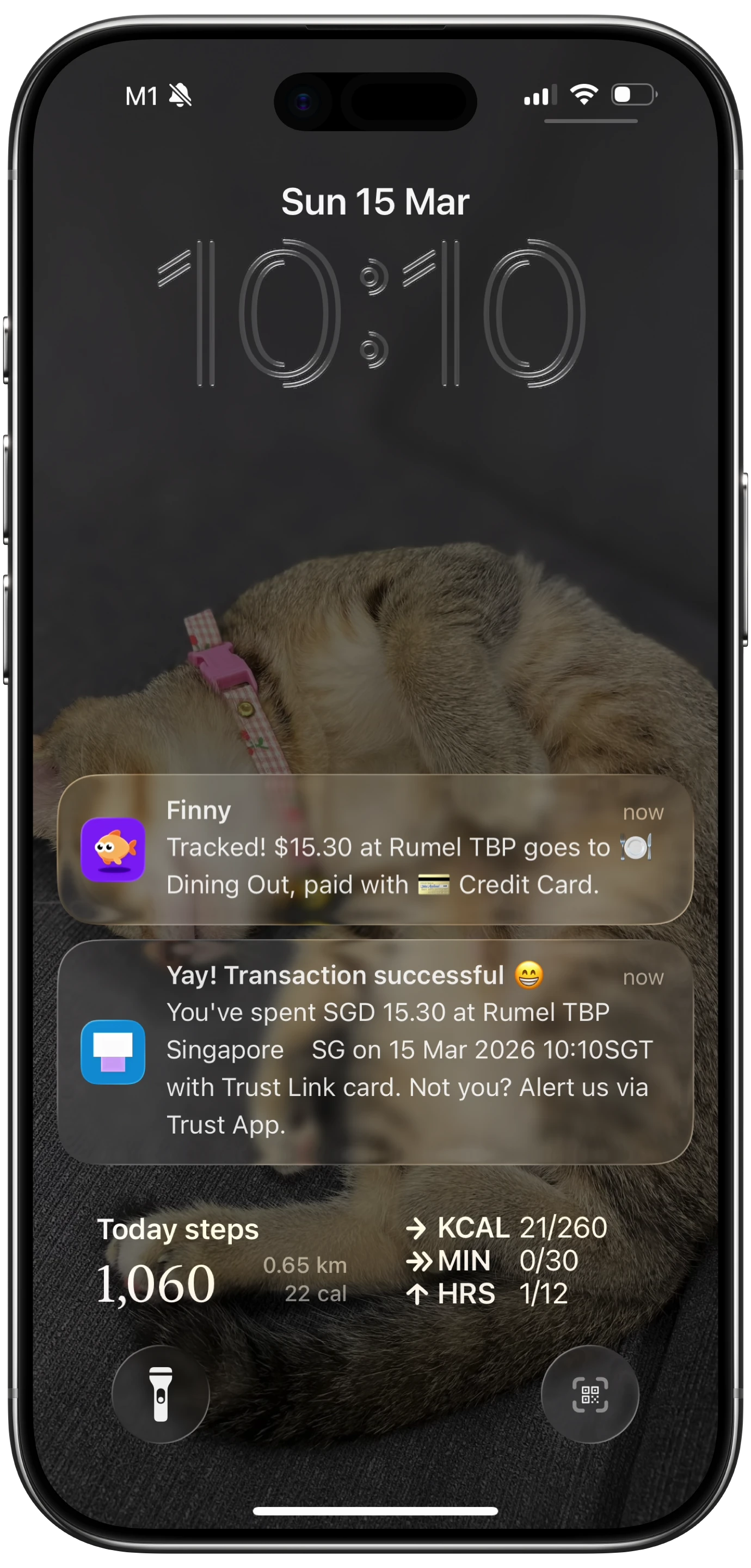
The only way to get a charge into your budget at the moment of purchase is to capture it on your phone when you pay, instead of waiting for a bank feed.
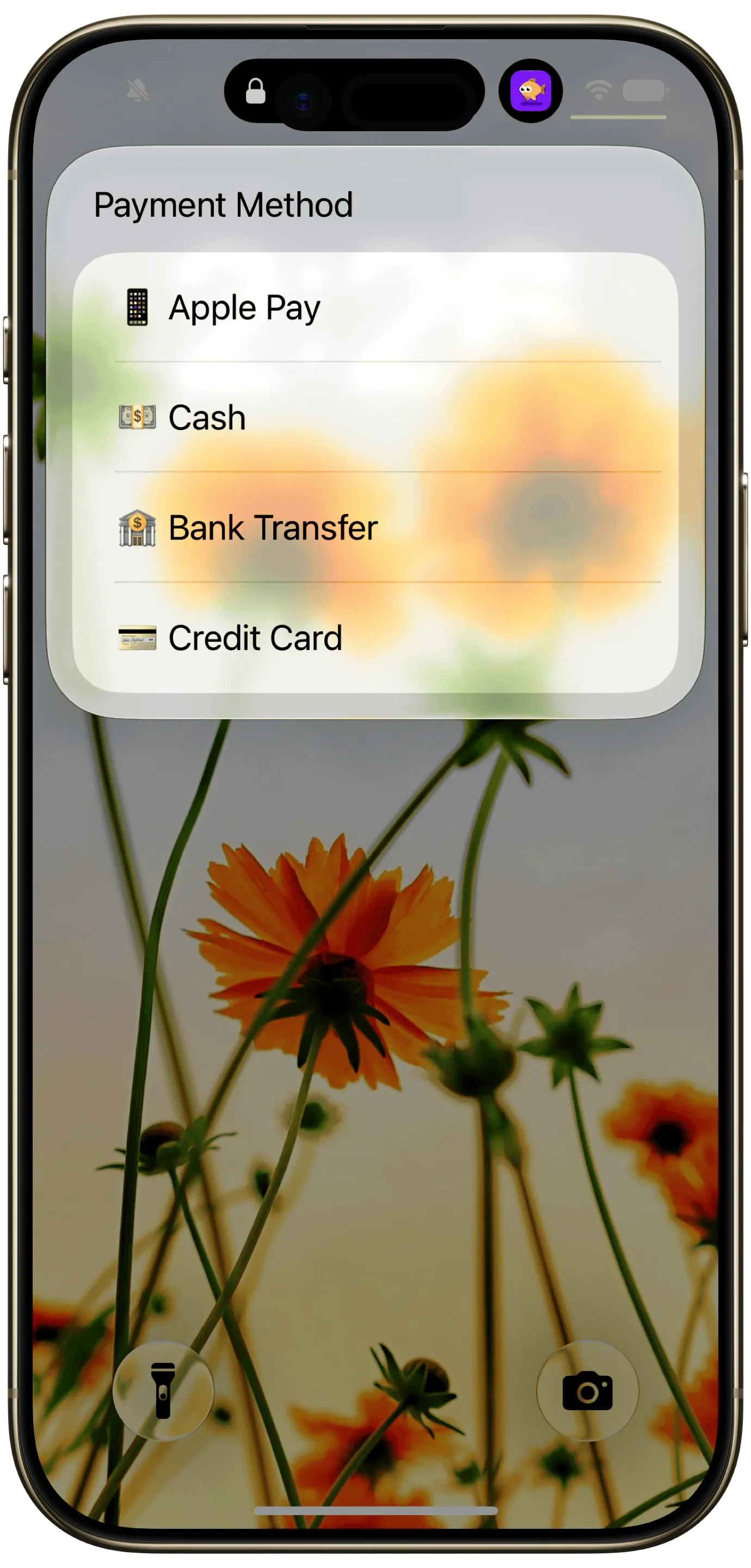
Finny does this with Tap to Track: when you pay with Apple Pay, the card payment is logged as you make it, with the amount and merchant, and no bank connection. For purchases that don't go through Apple Pay, like online checkouts, statement charges, or a card app showing a pending transaction, Screen Log records any payment on your screen. Either way the charge lands in your categories and budget right away, so you can see today's spending against your plan before the next purchase.
Here's Tap to Track logging a card payment in real time:
Pros: as fast as the purchase itself, works across every card you add to Apple Pay, needs no bank credentials, and shows the charge against your budget immediately.
Cons: physical card swipes and cash still need a quick manual entry, and you'll want to check your statement once a month for anything that slipped through.
Method comparison
| Method | Speed | Covers all cards | Shows budget impact | Bank login needed |
|---|---|---|---|---|
| Issuer alerts | Seconds | No, one app per card | No | No |
| Apple Card notifications | Seconds | Apple Card only | No | No |
| Bank-sync budget apps | Hours to days | Yes, if connected | Yes | Yes |
| Logging payments as you make them | Seconds | Yes, for Apple Pay and on-screen payments | Yes | No |
| Weekly statement review | Days to weeks | Yes | Only after the fact | No |
The strongest setup combines two: issuer alerts for fraud protection, and a tracker that logs each payment into your budget as it happens.
Build a real-time credit card tracking routine
Tools only work with a routine around them. This one takes a few minutes a week:
- Pick one place for the running total. Alerts are signals. Your tracker or budget app is where the number lives.
- Tag each charge with its card. Knowing which card was used makes statement reconciliation quick and shows which card you lean on.
- Set a daily or weekly spending limit. A real-time number is only useful if you compare it to something. Our guide on how spending limits help budgeting shows how to pick one.
- Check pending charges for tips and holds. Restaurants, gas stations, and hotels often post a different final amount. Update the entry when the charge posts.
- Reconcile against the statement monthly. Ten minutes with the statement catches anything missed and any charge you don't recognize.
- Align your budget month to your statement. If your statement closes on the 24th, a budget that runs 25th to 24th matches what you'll pay. Our guide to budgeting by billing cycle explains how.
Frequently Asked Questions
Can I track card spending in real time?
Yes. Your card issuer's app can send an alert within seconds of each purchase, and a tracker that logs payments as you make them puts each charge into your budget immediately. Bank-sync budgeting apps usually lag by hours or days, because aggregators refresh on a schedule and some only import posted transactions.
Why doesn't my budgeting app show my credit card purchase yet?
Most budgeting apps get transactions from a bank data aggregator that refreshes periodically, not instantly. Some only import charges after they post, which can take a day or more. A broken bank connection can also stop new transactions from arriving. Check the app's last sync time, and reconnect the account if it's stale.
How do I get a notification every time my credit card is used?
Open your card issuer's app, go to account settings, and find Alerts or Notifications. Turn on purchase or transaction alerts and set the minimum amount to $0 or $1. Most major US issuers support this for free. Apple Card can send a Wallet notification for every purchase, which you control in the card's Notifications settings.
What's the best app to track credit card spending?
If you want every posted charge with no manual work and don't mind linking accounts, a bank-sync app like Monarch or Copilot is thorough but delayed. If you want to see charges the moment they happen without sharing bank credentials, use a tracker that logs card payments as you make them, and keep issuer alerts on for fraud protection.
Is it safe to track credit card spending without linking my bank?
Yes, and it removes one risk entirely: no third party holds your bank credentials or a continuous feed of your transactions. You lose automatic completeness, so reconcile against your statement once a month to catch anything you didn't log. Keep your issuer's purchase alerts turned on as well, so fraud still gets flagged within seconds even though no app holds your bank login.
The bottom line
To track credit card spending in real time, you need to capture each charge when you pay, not when your bank reports it. Issuer alerts are the free first step and your best fraud defense. Bank-sync apps are thorough but always a step behind. Logging card payments as you make them is the only way to see a charge against your budget in the moment, when that information can still change what you do next.